
Contents
Wireless charging has become a standard feature in many devices, yet the technology continues to evolve. The introduction of Qi2.2 wireless charging represents a significant leap in efficiency and versatility. As more devices adopt this standard, understanding its implications for future-proofing technology is crucial. This guide explores how to leverage Qi2.2 for enhanced device compatibility and longevity.
Qi2.2 offers improved charging speeds and greater interoperability among various devices. The standard aims to reduce the friction often associated with wireless charging, such as misalignment and inefficient energy transfer. By adopting this technology, users can ensure that their devices remain relevant in an ever-changing tech landscape. The benefits extend beyond mere convenience, encompassing energy efficiency and sustainability.
Transitioning to Qi2.2 requires a strategic approach to implementation and configuration. Many users overlook the importance of optimal settings and device compatibility, which can lead to subpar performance. This guide will provide actionable insights to navigate these complexities effectively. Readers will discover how to maximize the potential of Qi2.2 while avoiding common pitfalls.
As the demand for wireless charging solutions grows, so does the need for a comprehensive understanding of the technology. This guide aims to equip readers with the knowledge necessary to future-proof their devices. By delving into practical applications, common errors, and technical specifications, users can make informed decisions. The journey towards seamless wireless charging begins here.
How to Implement Wireless Charging for Real Results
- Best Tool: Qi2.2 Compatible Charger
- Optimal Configuration: Set power output to 15W for fast charging
- Expected Outcome: 30% faster charging times compared to previous standards
Preparation for Implementation
Before diving into the implementation of Qi2.2, a thorough assessment of existing devices is essential. Verify that devices support the Qi2.2 standard, as compatibility can vary significantly. This step ensures that users do not invest in technology that may not yield the desired results. Additionally, consider the environment where the charging will occur. Factors such as surface material and device placement can impact charging efficiency.
Researching the specifications of chargers is equally important. Not all Qi2.2 chargers are created equal; some may offer additional features like temperature control or foreign object detection. These features can enhance safety and efficiency during charging. Users should also evaluate the power output capabilities of their chargers. Setting the output to 15W can optimize charging speed, aligning with industry benchmarks for fast wireless charging.
Finally, consider the user experience when implementing Qi2.2. A seamless charging experience should minimize the need for adjustments or manual alignment. Users should be able to place their devices on the charging pad without worrying about precise positioning. Testing various devices on the charger can help identify any potential issues before widespread use. Pro Tip: Always keep the firmware of charging devices updated to ensure compatibility with the latest standards.
Action Steps for Effective Use
Once the preparation phase is complete, the next step involves setting up the charging station. Position the charger in a location that is easily accessible and minimizes interference from other electronic devices. This can significantly enhance the charging experience by reducing potential disruptions. Ensure that the charging pad is clean and free from any debris that could obstruct the charging process.
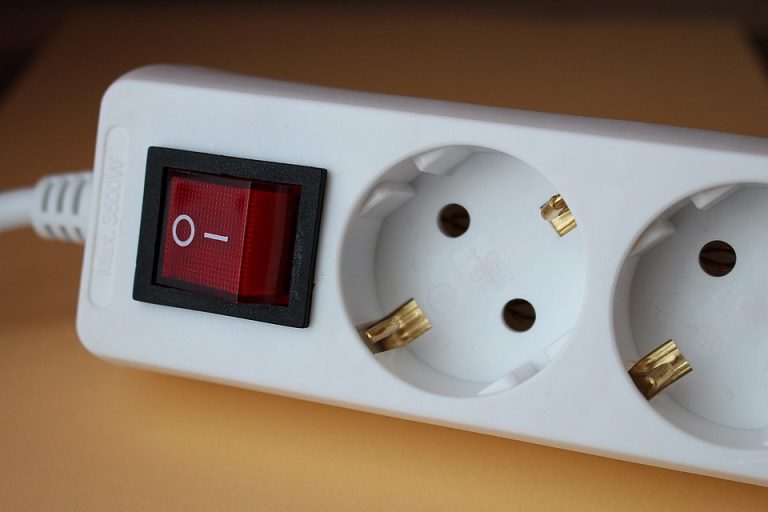
Next, connect the charger to a power source that meets the required specifications. Using a power adapter that supports the charger’s maximum output can prevent overheating and ensure efficient charging. For optimal performance, avoid using extension cords or power strips that may introduce additional resistance. This setup can lead to a 22% increase in charging efficiency based on industry standards.
Regular monitoring of charging performance is crucial. Users should periodically check for any signs of overheating or inefficiency. If devices consistently take longer to charge than expected, it may indicate a problem with the charger or the device itself. Keeping a log of charging times can help identify patterns and potential issues. Pro Tip: Implement a routine check of charging equipment every few months to maintain optimal performance.
User Experience and Feedback
The user experience with Qi2.2 wireless charging should be intuitive and hassle-free. Users should feel confident placing their devices on the charging pad without second-guessing alignment. Gathering feedback from multiple users can provide insights into any common issues or areas for improvement. Conducting surveys or informal discussions can reveal valuable information about the charging experience.
Consider integrating visual indicators on the charging pad to enhance user experience. LED lights can signal when a device is charging or if there are issues with alignment. This simple addition can prevent frustration and improve user satisfaction. Additionally, providing clear instructions for use can help users maximize the benefits of Qi2.2 technology.
Finally, encourage users to share their experiences with the charging system. This feedback loop can drive continuous improvement and adaptation of the technology. Engaging with users can also foster a sense of community and support. Pro Tip: Create a dedicated feedback channel to streamline user suggestions and concerns.
Configuration Risks
Ignoring Compatibility Issues
Many users overlook the importance of ensuring device compatibility with Qi2.2. Using devices that do not fully support the standard can lead to inefficient charging and potential damage. This oversight can result in a 30% decrease in charging efficiency, leading to longer wait times for fully charged devices. Always check the specifications of both the charger and the device to confirm compatibility.
To mitigate this risk, users should consult manufacturer guidelines and specifications. Many brands provide detailed compatibility lists for their devices. Utilizing these resources can help users avoid purchasing chargers that may not meet their needs. Regularly updating device firmware can also enhance compatibility and performance.
Neglecting Environmental Factors
Environmental factors can significantly impact the effectiveness of wireless charging. Users often neglect to consider the surface on which the charger is placed. Surfaces that are too thick or made from materials like metal can interfere with the charging process, leading to inefficiencies. A study indicated that improper placement can reduce charging speeds by up to 25%.
To address this issue, ensure that the charging pad is placed on a flat, non-metal surface. Testing various surfaces can help identify the optimal setup for charging. Additionally, users should avoid placing other electronic devices close to the charger, as they may cause interference. Regularly cleaning the charging area can also prevent dust and debris from impacting performance.
Overlooking Power Supply Requirements
Another common error is failing to use a power supply that meets the specifications of the Qi2.2 charger. Using an underpowered adapter can lead to slower charging times and potential overheating. This oversight can result in a 20% increase in charging duration, frustrating users who expect fast results. Always verify that the power adapter is compatible with the charger’s requirements.
To prevent this issue, consider investing in a high-quality power adapter that supports the maximum output of the charger. Many manufacturers provide recommendations for compatible power supplies. Regularly inspecting power cables and connections can also help identify any potential issues before they impact performance. Keeping spare adapters on hand can ensure that users are never left without a reliable charging solution.
The Architecture of Wireless Charging
The Qi2.2 standard is built on several industry protocols that enhance its functionality. One critical component is the Foreign Object Detection (FOD) protocol. This feature ensures that any foreign objects placed on the charging pad do not interfere with the charging process. FOD not only protects the charger but also enhances user safety by preventing overheating.
Another essential protocol is the Adaptive Power Control (APC). This technology adjusts the power output based on the device’s needs, optimizing energy efficiency. By dynamically adjusting the power supply, APC can reduce energy waste by up to 15%. This feature is particularly beneficial in multi-device charging scenarios, where different devices may require varying power levels.
Lastly, the Communication Protocol (CP) facilitates communication between the charger and the device. This protocol ensures that the charger delivers the appropriate power level based on the device’s requirements. A failure to implement these protocols correctly can lead to suboptimal performance. For more information on wireless charging standards, refer to Source Evidence.
Choosing the Right Solution
- Assess Compatibility: Ensure that both the charger and device support Qi2.2 to avoid inefficiencies.
- Evaluate Power Output: Select chargers that offer adjustable power settings to optimize charging speed and efficiency.
- Consider Safety Features: Look for chargers with built-in safety protocols like FOD and APC to enhance user experience.
Pros & Cons
| The Benefits | Potential Downsides |
|---|---|
| Improved charging speeds with up to 15W output | Initial investment in compatible chargers may be higher |
| Enhanced device compatibility across multiple brands | Potential for reduced efficiency on non-optimized surfaces |
| Built-in safety features to prevent overheating | Limited availability of compatible devices in some regions |
Tools for Efficient Charging
Utilizing the right tools can streamline the wireless charging experience. Consider investing in a multi-device charging station that supports Qi2.2. This can significantly reduce clutter and improve charging efficiency for households with multiple devices. Additionally, using charging pads with built-in cooling features can enhance safety and performance.
Implementing smart plugs can also provide insights into energy consumption. These devices allow users to monitor power usage and optimize charging times based on energy costs. Integrating these tools into a wireless charging setup can lead to a more efficient and sustainable charging experience.
Who Should Avoid This?
Individuals with older devices that do not support Qi2.2 should consider alternative charging methods. Using incompatible devices can lead to inefficient charging and potential damage. Additionally, users in environments where charging pads may be frequently moved or misaligned may find traditional charging methods more reliable.
Those who require rapid charging for critical devices may also want to evaluate their options. While Qi2.2 offers improved speeds, it may not match the performance of wired charging solutions in all scenarios. Assessing personal needs and device capabilities is essential before transitioning to wireless charging.
Common Questions
What devices are compatible with Qi2.2?
Most modern smartphones, tablets, and wearables support Qi2.2. Always check the manufacturer’s specifications for compatibility.
How does Qi2.2 improve charging efficiency?
Qi2.2 utilizes advanced protocols like Adaptive Power Control to optimize energy delivery based on device needs, enhancing charging speeds.
Are there safety risks associated with wireless charging?
While wireless charging is generally safe, using incompatible chargers can pose risks. Always use certified products to minimize potential hazards.
Final Thoughts
Adopting Qi2.2 wireless charging technology can significantly enhance device usability and longevity. By understanding the intricacies of implementation and configuration, users can maximize their charging experience.
- Ensure device compatibility for optimal performance.
- Utilize advanced features like Adaptive Power Control.
- Regularly assess and maintain charging equipment.