
Contents
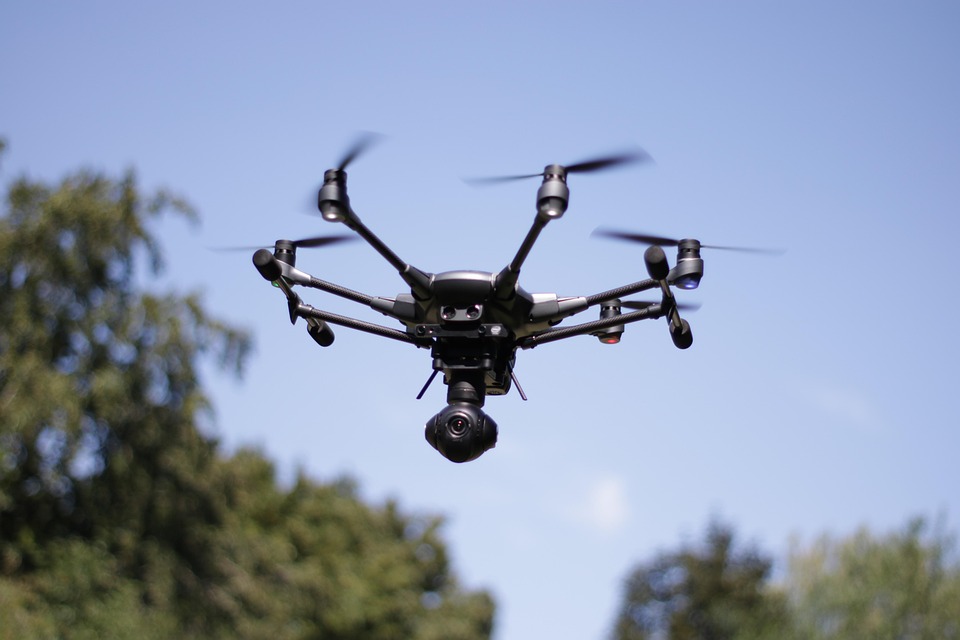
Capturing stunning footage with sub-250g cinematic drones presents a unique blend of technical challenges and creative opportunities. These lightweight devices have gained immense popularity among filmmakers, hobbyists, and content creators due to their portability and ease of use. However, achieving professional-quality results requires more than just flying the drone. Understanding the nuances of camera settings, flight techniques, and post-processing can significantly elevate the quality of your footage.
The first hurdle many encounter is the inherent limitations of small drones, which often come with smaller sensors and lenses compared to their larger counterparts. This can lead to issues such as reduced low-light performance and limited dynamic range. Addressing these challenges requires a strategic approach to both shooting and editing. By mastering the settings and techniques specific to these drones, creators can unlock their full potential.
Another critical aspect involves understanding the legal and regulatory landscape surrounding drone usage. Navigating airspace restrictions, understanding no-fly zones, and obtaining necessary permits can be daunting. Failing to comply with regulations not only risks fines but can also jeopardize your ability to capture desired shots.
Lastly, the importance of flight stability cannot be overstated. Wind conditions, drone weight, and battery life all play a role in how smooth your footage will be. A shaky shot can detract from the overall cinematic quality, making it essential to implement best practices for stable flight.
How to Implement Lightweight Drones for Real Results
- Best Tool: DJI Mini 3 Pro
- Optimal Configuration: Set ISO to 100 for bright conditions and use a shutter speed of 1/50 for 24 fps footage
- Expected Outcome: Achieve cinematic quality with minimal noise and optimal motion blur
Preparation for Flight
Before taking to the skies, thorough preparation is essential. Start by checking local regulations to ensure compliance with drone laws. This includes understanding altitude limits and no-fly zones, which can vary significantly by region. Additionally, familiarize yourself with your drone’s user manual to understand its capabilities and limitations.
Battery life is another critical factor. Ensure that your batteries are fully charged and consider carrying spares for extended shoots. A typical sub-250g drone like the DJI Mini 3 Pro offers around 30 minutes of flight time under optimal conditions. However, wind and temperature can affect this duration.
Finally, scout your shooting location in advance. This allows you to identify potential obstacles and plan your flight paths. Knowing where to position yourself for the best angles can save time and improve the quality of your footage.
Pro Tip: Always perform a pre-flight checklist to avoid last-minute surprises.
Executing the Flight
Once in the air, maintaining stable flight is crucial for capturing smooth footage. Utilize the drone’s GPS capabilities to lock onto a stable hover. This is particularly important when filming in windy conditions, as even lightweight drones can be affected by gusts.
Implementing techniques such as slow pans and gentle ascents can enhance the cinematic quality of your shots. Fast movements often lead to shaky footage, which can be distracting. Instead, focus on gradual transitions to create a more professional look.
Additionally, consider using the drone’s intelligent flight modes, such as Follow Me or Waypoints, to automate complex shots. These features allow the drone to maintain a consistent distance and angle, freeing you to focus on composition.
Pro Tip: Use ND filters to manage light exposure and achieve the desired shutter speed for smoother motion.
Post-Processing Techniques
Editing is where the magic happens. Import your footage into a professional editing software like Adobe Premiere Pro or DaVinci Resolve. Begin by color grading your clips to enhance the visual appeal. Small drones often capture footage with less dynamic range, so applying a color correction can make a significant difference.
Stabilization tools within editing software can help smooth out any remaining shakes. Even with careful flying, minor vibrations can occur, especially in windy conditions. Using software stabilization can elevate your footage to a more polished level.
Lastly, consider adding sound design and music to enhance the viewing experience. The right audio can elevate your visuals, creating a more immersive storytelling experience.
Pro Tip: Always render your final output in the highest quality possible to maintain the integrity of your footage.
Configuration Risks
Ignoring Camera Settings
Many beginners overlook the importance of proper camera settings. Using automatic settings may seem convenient, but it often leads to subpar results. For example, failing to adjust the ISO can result in grainy footage, especially in lower light conditions.
To mitigate this risk, always set your ISO manually based on the lighting conditions. A good rule of thumb is to keep the ISO at its lowest setting to reduce noise. This attention to detail can significantly enhance the quality of your footage.
Pro Tip: Use manual mode to have full control over your exposure triangle.
Neglecting Battery Management
Battery management is often a forgotten aspect of drone operation. Running out of battery mid-flight can lead to crashes and lost footage. Many beginners underestimate the impact of temperature on battery performance, especially in colder climates.
To avoid this, monitor battery levels closely and land well before reaching critical levels. Additionally, consider investing in high-quality batteries that offer better performance and longevity.
Pro Tip: Always keep a spare battery on hand for longer shoots.
Overlooking Firmware Updates
Failing to update your drone’s firmware can lead to performance issues and even safety risks. Manufacturers regularly release updates that improve functionality and fix bugs. Ignoring these updates can leave you vulnerable to malfunctions during critical moments.
To ensure optimal performance, regularly check for firmware updates through the manufacturer’s app or website. Keeping your drone updated can also enhance compatibility with new features and accessories.
Pro Tip: Set reminders to check for updates monthly.
The Technical Framework
Understanding the architecture of sub-250g drones is essential for maximizing their potential. Most lightweight drones utilize a combination of GPS and inertial measurement units (IMUs) for stabilization. This dual-system approach allows for precise control during flight, ensuring smooth footage capture.
Additionally, many drones employ advanced codecs such as H.264 or H.265 for video compression. H.265 offers better quality at lower bitrates, making it ideal for capturing high-resolution footage without consuming excessive storage. Configuring your drone to record in H.265 can lead to improved video quality while conserving space.
Finally, the integration of real-time video transmission protocols, such as OcuSync, enhances the live feed quality. This technology allows for low-latency video transmission, providing a clear view of what the drone sees. Ensuring your drone is set to use the highest transmission quality can significantly improve your shooting experience.
For more information on drone technology, visit Wired.
Choosing the Right Solution
-
Camera Quality: Ensure the drone has a high-resolution camera capable of shooting in at least 4K. This is essential for professional-quality footage and allows for cropping in post-production without losing detail.
-
Flight Time: Look for drones that offer a minimum of 30 minutes of flight time. This duration allows for more shooting opportunities without frequent interruptions for battery changes.
-
Stabilization Features: Opt for drones equipped with gimbal stabilization. This technology is crucial for achieving smooth footage, especially during dynamic shots or in windy conditions.
Pros & Cons
| The Benefits | Potential Downsides |
|---|---|
| Highly portable and easy to transport | Limited battery life may restrict shooting time |
| Advanced camera features for high-quality footage | Smaller sensors can struggle in low light |
| Cost-effective compared to larger drones | May lack advanced features found in professional models |
Tools and Workflows
Utilizing the right tools can streamline the process of capturing and editing drone footage. Software like Adobe Premiere Pro offers robust editing capabilities, while applications like Litchi can enhance flight planning and automation.
Integrating these tools into your workflow allows for a more efficient production process. Additionally, consider using cloud storage solutions for easy access to your footage from multiple devices.
Who Should Avoid This?
Individuals who lack experience with drone operation may find sub-250g drones challenging. Without a basic understanding of flight principles and camera settings, achieving high-quality footage can be difficult.
Additionally, those who are not willing to invest time in learning the necessary skills should reconsider their approach. Mastering drone technology requires practice and dedication, which may not be suitable for everyone.
Common Questions
What is the best sub-250g drone for beginners?
The DJI Mini 3 Pro is often recommended for beginners due to its user-friendly interface and advanced features. Its compact size and high-quality camera make it an excellent choice for those new to drone photography.
Can I fly a sub-250g drone in urban areas?
Yes, but you must adhere to local regulations and restrictions. Many urban areas have specific rules regarding drone flights, including no-fly zones and altitude limits.
How can I improve my drone flying skills?
Practice is key to improving your skills. Start with basic maneuvers in open areas and gradually advance to more complex shots as you gain confidence.
The Final Takeaway
Capturing stunning footage with sub-250g cinematic drones is achievable with the right knowledge and techniques.
- Understand your drone’s capabilities and limitations.
- Master camera settings for optimal results.
- Invest time in post-processing to enhance your footage.