
Contents
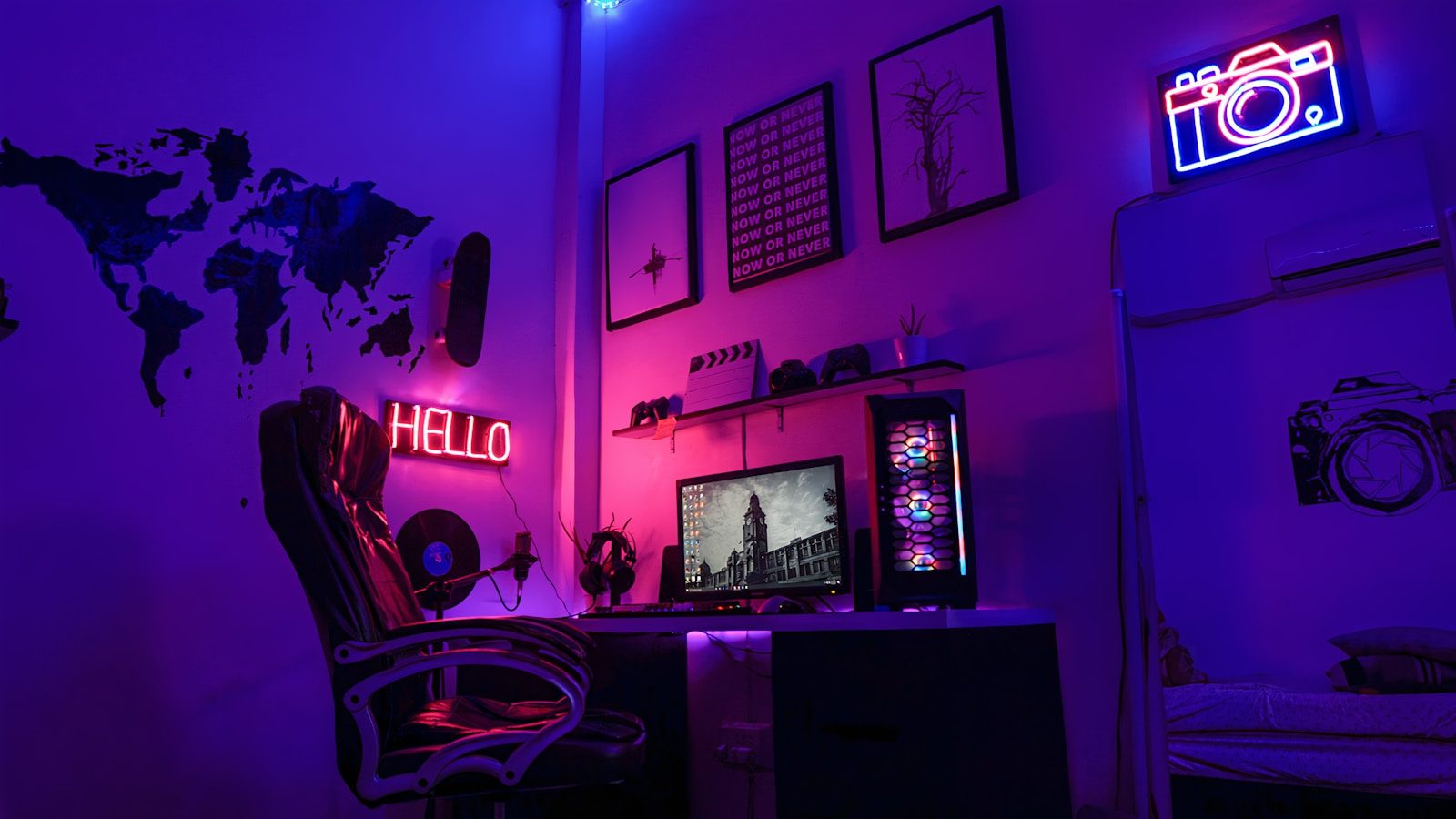
Gaming has evolved into a multi-faceted experience that goes beyond just the gameplay itself. The aesthetics of your gaming setup can significantly influence your immersion and enjoyment. Yet, many gamers overlook the importance of creating an environment that enhances their experience. A well-thought-out aesthetic setup can lead to improved focus, better performance, and a more enjoyable gaming atmosphere.
Many gamers struggle with cluttered spaces, inadequate lighting, and mismatched equipment. These factors can create distractions that detract from the overall experience. The right aesthetic setup not only beautifies your space but also serves functional purposes, such as improving ergonomics and reducing eye strain. Understanding how to optimize your gaming environment is crucial for elevating your experience.
Investing in aesthetic elements, such as RGB lighting, themed decor, and ergonomic furniture, can seem overwhelming. However, with a strategic approach, it becomes manageable and rewarding. By focusing on specific components and how they interact, you can create a cohesive and immersive gaming environment. This guide will provide actionable insights to elevate your gaming experience through aesthetic setups.
Let’s explore practical applications, common pitfalls, and technical considerations that will help you achieve a visually appealing and functional gaming space. The right setup can transform not just your gaming performance but also your overall enjoyment. Prepare to dive into the world of aesthetic gaming setups that are both stylish and efficient.
How to Implement Aesthetic Setups for Real Results
- Best Tool: RGB Lighting System
- Optimal Configuration: Sync with Gaming Software
- Expected Outcome: Enhanced immersion and focus
Choosing the Right Lighting
Lighting plays a crucial role in creating an immersive gaming setup. The right lighting can reduce eye strain and enhance the overall atmosphere. Start by selecting RGB lighting that can be synchronized with your games to create dynamic effects. This involves configuring the software settings to match the game’s color palette, which can significantly enhance immersion.
Consider using bias lighting behind your monitor. This not only reduces glare but also creates a more balanced visual experience. Aim for a color temperature of around 6500K for optimal viewing comfort. Many gamers overlook the importance of lighting placement, which can affect how colors appear on the screen. Proper placement can minimize shadows and ensure a more vibrant display.
Pro Tip: Experiment with different lighting setups to find what works best for your gaming style. Adjusting brightness levels can also help in creating a more comfortable environment.
Ergonomics and Furniture Choices
The furniture you choose can significantly impact your gaming experience. An ergonomic chair can reduce fatigue during long gaming sessions. Look for chairs with adjustable lumbar support and armrests to ensure comfort. The height of your desk should also be considered; it should allow for a 90-degree angle at your elbows when using the keyboard.
Investing in a standing desk can also provide flexibility. Many gamers find that alternating between sitting and standing can alleviate discomfort. Ensure that your monitor is at eye level to prevent neck strain. A common mistake is to overlook the importance of desk space; clutter can lead to distractions and reduced focus.
Pro Tip: Use cable management solutions to keep your workspace tidy. This not only improves aesthetics but also enhances functionality.
Personalizing Your Setup
Personalization is key to creating a gaming environment that feels uniquely yours. This can include themed decorations, posters, or collectibles that resonate with your gaming interests. However, it is essential to strike a balance between aesthetics and functionality. Too many decorations can create visual clutter, which may distract you during gameplay.
Consider using shelving to display collectibles without overwhelming your desk space. Wall-mounted shelves can free up valuable desk real estate while showcasing your personality. Additionally, using color schemes that complement your gaming gear can create a cohesive look. Many gamers overlook the impact of color psychology; certain colors can evoke specific emotions that enhance your gaming experience.
Pro Tip: Use a color wheel to select complementary colors for your setup. This can create a harmonious atmosphere that enhances your gaming experience.
Configuration Risks in Aesthetic Setups
Overlooking Cable Management
Cable management is often an afterthought in gaming setups. A tangled mess of wires can not only detract from aesthetics but also create safety hazards. Poor cable management can lead to overheating and even hardware failure. Investing in cable sleeves or clips can help keep your setup organized and visually appealing.
Many gamers underestimate the importance of planning cable routes before setting up their equipment. This can save time and frustration later on. Using color-coded cables can also simplify identification and troubleshooting. Proper cable management can improve airflow around your devices, which is crucial for maintaining optimal performance.
Ignoring Monitor Calibration
Monitor calibration is essential for achieving the best visual experience. Many gamers fail to adjust their monitor settings, resulting in inaccurate colors and poor image quality. This can lead to eye strain and a less immersive experience. Regularly calibrating your monitor can ensure that colors appear as intended, enhancing your gaming experience.
Utilizing calibration tools can simplify this process. Aim for a gamma setting of 2.2 for optimal brightness and contrast. Many monitors come with preset modes, but these often do not provide the best results. Customizing settings based on your lighting conditions can lead to a more enjoyable experience.
Neglecting Room Acoustics
Room acoustics can significantly impact your gaming experience, yet it is often overlooked. Poor acoustics can lead to echo and distortion, which can detract from sound immersion. Consider using acoustic panels to absorb sound and improve audio quality. This is especially important for competitive gaming, where sound cues can make a difference in performance.
Many gamers do not realize that hard surfaces can amplify sound issues. Adding rugs or curtains can help mitigate these effects. Positioning speakers correctly can also enhance audio clarity. Testing different placements can lead to a more immersive experience.
The Technical Architecture of Aesthetic Setups
Understanding the technical elements that contribute to an effective aesthetic setup is crucial. Protocols such as HDMI 2.1 can significantly enhance the visual experience by supporting higher resolutions and refresh rates. Configuring your devices to use this standard can lead to smoother gameplay and better graphics. Aim for a refresh rate of at least 120Hz for optimal performance.
Another important aspect is the use of DisplayPort 1.4. This protocol allows for higher bandwidth, enabling features like variable refresh rates. Configuring your graphics card settings to utilize this can enhance your gaming experience. Many gamers overlook the importance of ensuring that their cables are also compatible with these standards, which can lead to performance issues.
For more in-depth insights on gaming technology, you can refer to Wired. Ensuring that your setup adheres to these technical standards can lead to significant improvements in both aesthetics and performance.
Choosing the Right Solution
- Assess your space. Consider the dimensions and layout to determine what furniture and equipment will fit best.
- Evaluate your gaming style. Different genres may require different setups; for example, an FPS gamer may prioritize monitor height and chair comfort.
- Research compatibility. Ensure that all components, including RGB lighting and audio systems, can sync effectively with your gaming hardware.
Pros & Cons
| The Benefits | Potential Downsides |
|---|---|
| Enhanced immersion through personalized aesthetics | Initial setup costs can be high |
| Improved ergonomics can lead to better focus | Time-consuming to configure |
| Increased enjoyment from a visually appealing environment | Potential for distraction from over-decorating |
Tools and Workflows
Utilizing specific tools can streamline the process of creating an aesthetic gaming setup. Software like Philips Hue Sync can synchronize lighting with your gameplay. Ergonomic assessment tools can help you find the best chair and desk height. Cable management kits can simplify the organization of your workspace.
Who Should Avoid This?
Gamers with limited space may find it challenging to implement elaborate setups. Those who prioritize portability over aesthetics may also want to avoid extensive customization. Additionally, individuals who frequently change their gaming environment may find that investing in a permanent setup is not practical.
Common Questions
What is the best RGB lighting for gaming?
The best RGB lighting varies based on personal preference, but options like Philips Hue and Corsair iCUE are popular for their compatibility with gaming software.
How can I improve my gaming chair?
Improving your gaming chair involves adjusting the height and lumbar support to fit your body. Adding a seat cushion can also enhance comfort during long sessions.
Is monitor calibration necessary?
Yes, monitor calibration is essential for achieving accurate colors and reducing eye strain. Regular calibration can enhance your overall gaming experience.
The Final Takeaway
Aesthetic setups can significantly elevate your gaming experience.
- Invest in proper lighting and ergonomics.
- Personalize your space while maintaining functionality.
- Regularly assess and adjust your setup for optimal performance.