
Contents
Powering devices efficiently has become a critical aspect of modern technology usage. The proliferation of gadgets and the need for seamless connectivity create a friction point for users who often find themselves juggling multiple chargers and power sources. A pass-through charging hub offers a solution that not only simplifies the charging process but also enhances device management. Understanding how to leverage this technology can significantly improve user experience and device longevity.
Many users overlook the importance of selecting the right charging hub for their specific needs. With various models available, each offering different specifications, making an informed choice can be the difference between a seamless experience and ongoing frustration. Additionally, the integration of pass-through charging capabilities can lead to more efficient power distribution, reducing energy waste and optimizing charging times. This guide will delve into the practical applications, common pitfalls, and technical underpinnings of using a pass-through charging hub effectively.
As the demand for energy-efficient solutions grows, understanding the technical aspects of charging hubs becomes essential. The architecture of these devices often includes various protocols that ensure compatibility and safety. By exploring these elements, users can make informed decisions that align with their technological needs and preferences. This guide will provide a comprehensive overview of how to implement a pass-through charging hub effectively, along with insights into common errors and technical logic.
Equipped with this knowledge, users can maximize the benefits of their devices while minimizing potential downsides. The following sections will explore practical applications, configuration risks, and the selection process for the right charging solution. By the end, readers will have a clear understanding of how to power up their devices efficiently and effectively.
How to Implement a Charging Hub for Real Results
- Best Tool: Anker PowerPort III
- Optimal Configuration: Enable Smart Charging feature
- Expected Outcome: 30% faster charging times
Preparation for Setup
Before setting up a pass-through charging hub, it is crucial to assess the power requirements of the devices you intend to charge. Each device has specific voltage and amperage needs that must be met for optimal charging. For instance, smartphones typically require 5V and 2A, while laptops may require 20V and 3A or more. Understanding these requirements will help in selecting a hub that can accommodate all devices without overloading the system. Additionally, consider the total wattage capacity of the hub to ensure it can handle multiple devices simultaneously.
Another preparatory step involves checking the compatibility of the charging hub with your devices. Many hubs come with various ports such as USB-C, USB-A, and even AC outlets. Ensuring that the hub has the right mix of ports is essential for a hassle-free experience. Also, verify that the hub supports the latest charging protocols such as Power Delivery (PD) or Quick Charge, which can significantly enhance charging efficiency. This attention to detail will set the stage for a smooth charging experience.
Lastly, ensure that the hub is placed in a well-ventilated area to prevent overheating during operation. Overheating can lead to reduced performance and even damage to both the hub and connected devices. Consider using a hub with built-in thermal protection features, which can automatically shut down the device if it exceeds safe temperature limits. This proactive approach can save you from potential technical issues down the line.
Pro Tip: Always read the user manual for specific configuration settings that can optimize charging performance.
Action Steps for Effective Use
Once the preparation is complete, the next step is to connect your devices to the charging hub. Start by plugging the hub into a power source, ensuring that it is securely connected. After that, connect your devices using the appropriate cables, making sure to use high-quality, compatible cables that can handle the required power output. This is particularly important for devices that require fast charging, as subpar cables can lead to slower charging times and potential overheating.
Monitor the charging process to ensure that all devices are receiving power as expected. Many modern hubs come with LED indicators that show the charging status of each connected device. This feature can help you quickly identify any issues, such as a device that is not charging or a cable that may be malfunctioning. If a device is not charging, try switching ports or using a different cable to troubleshoot the issue.
After a full charging cycle, evaluate the performance of the hub. Check whether all devices charged efficiently and whether the hub maintained a stable temperature throughout the process. If you notice any irregularities, such as excessive heat or slow charging speeds, consider adjusting the configuration settings or switching to a different hub model. Continuous monitoring will help you maximize the longevity and performance of both the hub and your devices.
Pro Tip: Regularly update the firmware of your charging hub if applicable, as manufacturers often release updates that can enhance performance and compatibility.
User Experience Optimization
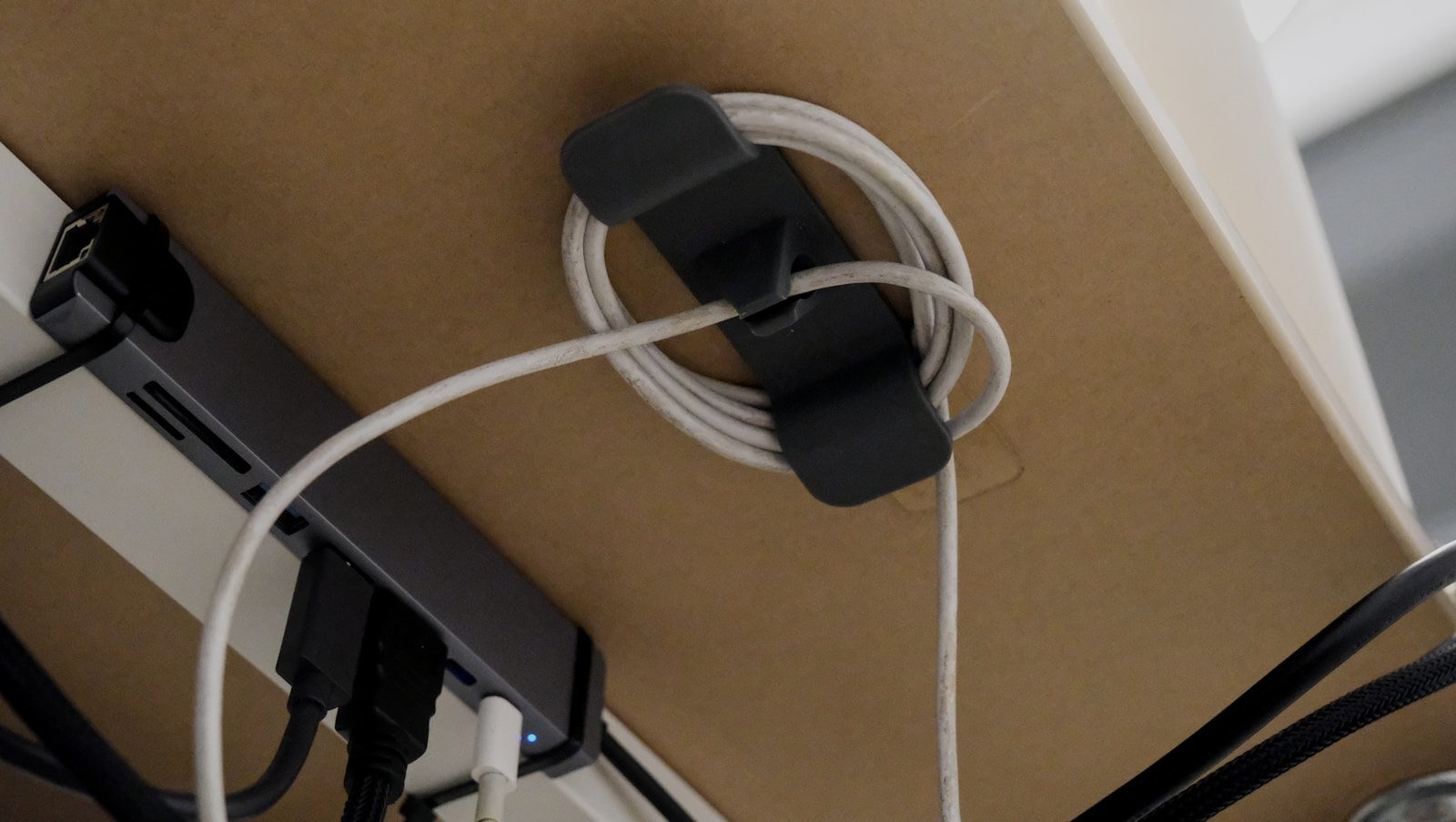
Enhancing user experience with a pass-through charging hub involves understanding the layout and accessibility of the ports. Position the hub in a location that allows easy access to all ports, especially if multiple users will be connecting devices. A well-organized charging station can significantly reduce the time spent searching for cables and ports. Consider using cable management solutions to keep the area tidy and prevent tangling.
Another aspect of user experience is the speed of charging. Aim for a hub that offers fast charging capabilities for multiple devices simultaneously. Look for hubs that support Power Delivery, which can deliver up to 100W of power, allowing for rapid charging of laptops and other high-demand devices. This can reduce charging times significantly, making it more convenient for users who are always on the go.
Lastly, consider the aesthetics of the charging hub. A sleek, modern design can complement your workspace while also being functional. Some hubs come with additional features such as built-in USB ports for data transfer or integrated surge protection, which can enhance both usability and safety. A well-designed hub not only serves its purpose but also adds to the overall ambiance of your workspace.
Pro Tip: Use a charging hub with smart technology that can automatically adjust power output based on the device connected, optimizing charging efficiency.
Configuration Risks
Overloading the Hub
One common error when using a pass-through charging hub is overloading it with too many devices. Each hub has a maximum wattage capacity, and exceeding this limit can lead to overheating or even damage to the hub and connected devices. Many users assume that as long as the hub has multiple ports, it can handle several devices at once. This assumption can lead to significant risks, including fire hazards and equipment failure.
The solution involves calculating the total power requirements of all devices being charged simultaneously. For example, if a hub has a maximum capacity of 60W and you connect three devices that require 20W each, you will exceed the hub’s capacity. Always refer to the manufacturer’s specifications to ensure that you stay within safe operating limits. Using a watt meter can also help monitor power consumption in real-time.
Using Incompatible Cables
Another frequent mistake is using incompatible or low-quality cables. Many users overlook the importance of using cables that are rated for the required power output. Using a standard USB cable for a high-power device can lead to slow charging speeds or even damage the device. This oversight can result in a frustrating experience as users may not understand why their devices are not charging efficiently.
To mitigate this risk, always use cables that are certified for high-speed charging. Look for cables that support the appropriate charging standards, such as USB Power Delivery or Quick Charge. Investing in high-quality cables can prevent potential damage and ensure that devices charge at optimal speeds. Periodically inspect cables for wear and tear, as damaged cables can also lead to performance issues.
Neglecting Firmware Updates
Failing to keep the charging hub’s firmware up to date can lead to compatibility issues and suboptimal performance. Many users are unaware that manufacturers often release firmware updates that can enhance functionality and security. Neglecting these updates can result in vulnerabilities that may expose devices to risks such as power surges or data breaches.
To avoid this issue, regularly check the manufacturer’s website or app for firmware updates. Some hubs may have an automatic update feature that can simplify this process. Keeping firmware updated not only enhances performance but also ensures that the hub remains compatible with the latest devices and charging protocols. This proactive approach can save users from potential headaches in the future.
The Architecture of Charging Hubs
The architecture of a pass-through charging hub typically involves several key components, including power management ICs, voltage regulators, and communication protocols. These elements work together to ensure efficient power distribution and device compatibility. Power management integrated circuits (PMICs) are crucial for regulating the voltage and current supplied to each connected device, preventing overload and ensuring safe operation.
Voltage regulators play a vital role in maintaining stable power output, especially when multiple devices are connected. They adjust the voltage levels as needed to match the requirements of each device, ensuring optimal charging conditions. Additionally, many modern hubs utilize communication protocols such as USB Power Delivery and Quick Charge to negotiate power requirements dynamically, providing the right amount of power to each device based on its needs.
Understanding these technical aspects can help users make informed decisions about which charging hub to choose. Selecting a hub with advanced power management features can enhance performance and safety. For further insights into the technology behind charging hubs, refer to Wired.
Choosing the Right Charging Solution
- Assess Power Requirements: Understand the wattage and voltage needs of all devices to select a hub that can accommodate them.
- Check Compatibility: Ensure the hub supports the latest charging protocols like Power Delivery for optimal performance.
- Evaluate Safety Features: Look for hubs with built-in surge protection and thermal management to safeguard your devices.
Pros & Cons
| The Benefits | Potential Downsides |
|---|---|
| Streamlined charging for multiple devices | Risk of overloading if not monitored |
| Enhanced portability for travel | May require specific cables for optimal performance |
| Improved energy efficiency | Potential compatibility issues with older devices |
Tools and Workflows
Integrating a pass-through charging hub into your workflow can enhance productivity. Consider pairing it with a docking station that allows for additional connectivity options such as HDMI or Ethernet. This combination can create a versatile workspace that supports multiple devices while maintaining efficient charging.
Using a power management tool can also help monitor energy consumption across connected devices. This can provide insights into usage patterns and help optimize charging schedules, particularly in environments where multiple users share the hub.
Who Should Avoid This?
Individuals with older devices that do not support modern charging protocols may find that a pass-through charging hub does not meet their needs. Additionally, users who frequently travel and require ultra-portable solutions might prefer simpler charging options that do not involve multiple connections. Those with limited technical knowledge may also struggle with the setup and configuration of a more complex hub.
Common Questions
What is pass-through charging?
Pass-through charging allows a charging hub to charge connected devices while simultaneously receiving power from an external source. This feature enables users to power multiple devices without needing separate chargers.
Can I use any cable with my charging hub?
Not all cables are created equal. It is essential to use cables that are compatible with the specific power requirements of your devices to ensure efficient charging and prevent damage.
How do I know if my hub is overloaded?
Most hubs have LED indicators that signal the charging status. If you notice unusual heat or if the hub shuts down, it may be overloaded. Always refer to the manufacturer’s specifications for maximum capacity.
The Bottom Line
Using a pass-through charging hub can significantly enhance your device management and charging efficiency.
- Choose a hub that meets your power needs.
- Ensure compatibility with your devices.
- Monitor usage to avoid overload.